
Select NMEA Sentences Received by Spire
You can choose which NMEA sentences you want the Spire to receive. In most instances, the default NMEA sentences are sufficient for your project or application.
To select the NMEA sentences used by Spire:
Open Juniper Connect and connect to the Spire receiver.
Open Settings and select Receiver Configuration.
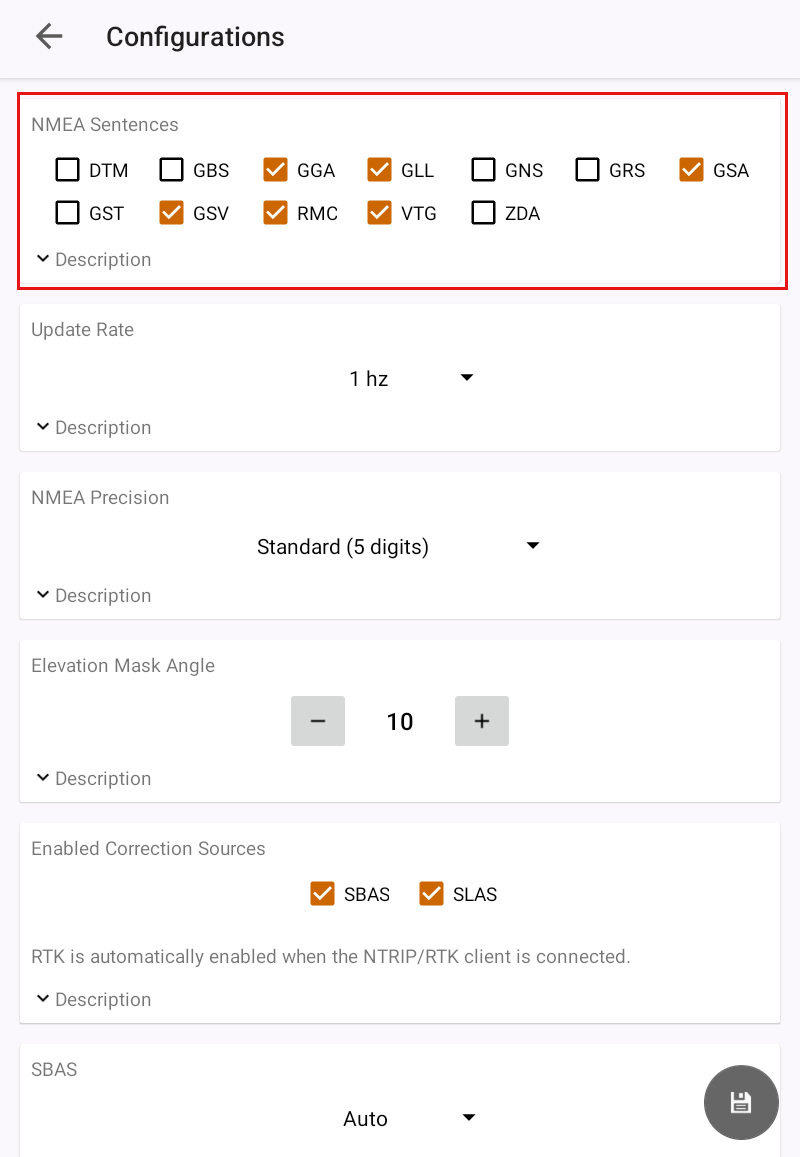
Select the NMEA sentences you want to be received by the Spire receiver.
DTM—Datum reference
GST—GNSS pseudorange error statistics
GBS—Satellite fault detection used for RAIM
GSV—GNSS satellites in view
GGA—Detailed GPS position information
RMC—Recommended minimum specific GNSS data
GLL—Latitude and longitude data
VTG—Course over ground and ground speed
GNS—Fix data for a single or combined satellite navigation system
ZDA—UTC time and date information
GRS—GNSS range residuals
GSA—GPS DOP and active satellite information
Tap Save.