Mesa 4 Thermal Management
How the Mesa 4 Manages Temperature and Charging
Mesa 4 units running Embedded Controller 1.07 or later include updates to the device thermal management system, designed to protect the battery and internal hardware when the system becomes too hot or cold.
For optimal charging performance, avoid running resource‑intensive applications or processes while charging your Mesa 4 or in places with high ambient temperature.
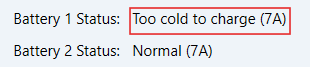
Too cold to charge
Move the device to a warmer environment and allow it to warm up.
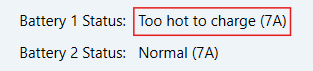
Too hot to charge
Reduce system activity to allow the device to cool down. Charging will automatically resume once the temperature drops to a safe temperature.
You can help lower the temperature by:
Putting the device into Sleep mode: Windows Start Menu > Power options > Sleep
Shutting down the Mesa 4 completely: Windows Start Menu > Power options > Shut down
What causes high system temperature?
The most likely cause of high internal temperature is heavy system activity, such as running resource‑intensive applications or Windows updates. Battery charging and high ambient temperature also raise internal temperature.
Safe Operating Temperature Thresholds
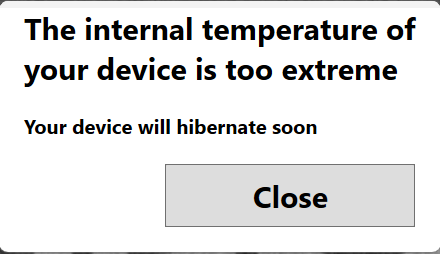
If your Mesa 4 exceeds its safe operating temperature, the system displays warnings and may slow down or stop battery charging. If the temperature reaches 156 °F (69 °C), the device will enter hibernation mode to protect the battery and internal components. The table below explains each warning message and how the device responds.
Internal System and Battery Temperature Warnings
Battery Temperature | Warning Message(s) Displayed | Device Behavior |
|---|---|---|
-20.2 °F to 32 °F (29°C to 0 °C) | Too cold to charge. |
|
113 °F (45 °C) | Too hot to charge. |
|
122 °F (50 °C) | Too hot to charge. |
|
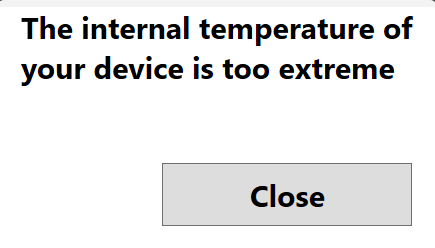
149 °F (65 °C) | The internal temperature of your device is too extreme. |
|
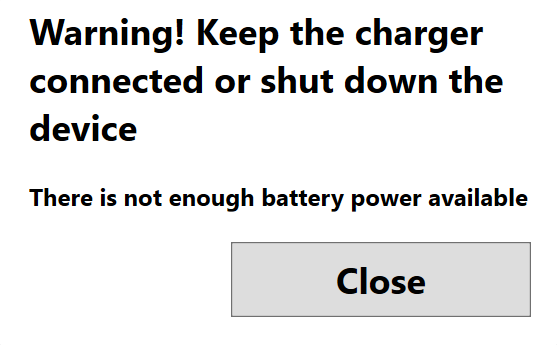
154 °F (68 °C) | Warning! Keep the charger connected or shut down the device. There is not enough battery power available. The internal temperature of your device is too extreme. Your device will hibernate soon. |
|
156 °F (69 °C) | No message is displayed. |
|